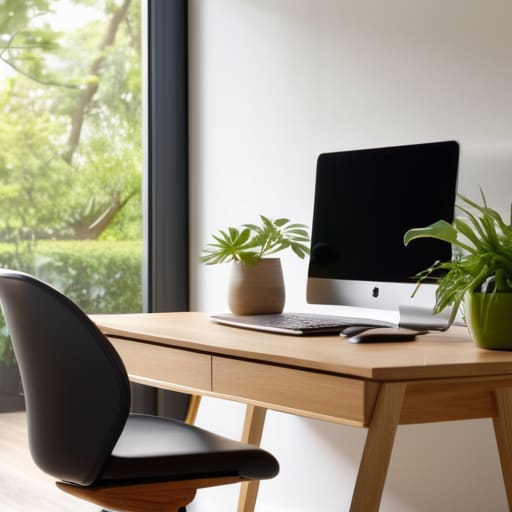
Designing a Productive Home Office You’ll Actually Enjoy
I’m so tired of seeing “aesthetic” home office setup ideas that look like they belong in a high-end architectural digest rather than a real apartment. You know the ones—the $2,000 ergonomic chairs, the perfectly curated minimalist desks with zero cables in sight, and the expensive lighting that makes everything look soft but does nothing for your actual focus. Most of that stuff is just performative productivity. I grew up in a space where every square inch had to earn its keep, and I learned early on that if a piece of furniture doesn’t actually solve a problem, it’s just clutter taking up expensive real estate.
I’m not here to sell you on a lifestyle overhaul or a shopping list that will drain your savings. Instead, I want to share some low-effort, high-impact systems that actually work when you’re balancing freelance gigs and a tight budget. We’re going to look at practical home office setup ideas that focus on utility over optics—things like managing cord chaos with cheap hardware and choosing layouts that stop you from feeling trapped in your own living room. Let’s build a workspace that serves your life, not one that requires a second job just to maintain.
Table of Contents
Remote Work Furniture Essentials That Actually Save You Time
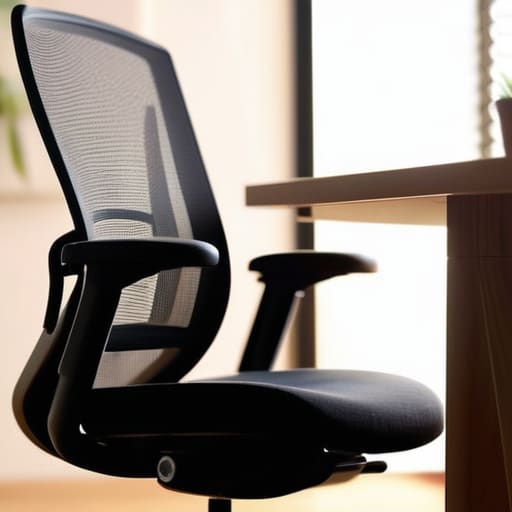
If you’re working from a cramped apartment like I was, you don’t need a showroom-ready suite; you need gear that doesn’t fight you. The biggest mistake I see is people skimping on the one thing that actually keeps them in the chair: the seat. While everyone talks about aesthetic setups, the real ergonomic desk chair benefits are about preventing that mid-afternoon back ache that kills your focus. Don’t buy a “gaming chair” that looks like a spaceship; find a second-hand task chair with actual lumbar support. It’s a better investment than any expensive desk lamp.
Next, stop letting your gear clutter your headspace. If you’re dealing with limited square footage, look into small space office organization by using verticality—think a sturdy floating shelf or a narrow rolling cart for your tech. I keep my current setup strictly to what I touch every single day. If a piece of furniture doesn’t serve a direct function or clear a path for my workflow, it’s just taking up space I can’t afford to lose.
Dual Monitor Workstation Layouts for Zero Friction Workflow
If you’re running a single screen, you’re constantly fighting the “alt-tab dance”—that annoying cycle of switching windows just to cross-reference a spreadsheet or a Slack message. A dual monitor workstation layout isn’t about having more screen real estate for the sake of it; it’s about reducing the cognitive load of context switching. I usually suggest a side-by-side setup if you have the desk width, but if you’re working with small space office organization constraints, try a vertical stack. Mounting one monitor above the other keeps your neck from constantly pivoting left to right, which saves you a massive headache by 4:00 PM.
The key is to treat your screens as distinct zones. Use your primary monitor for the “deep work” task—the heavy lifting—and keep the secondary screen for your “peripheral” tools like email, your calendar, or your project management dashboard. Don’t let the second screen become a graveyard for distracting tabs. If you set it up with intention, your monitors become a seamless extension of your workflow rather than just two more pieces of hardware cluttering your desk.
Five low-effort tweaks to stop your workspace from draining you
- Stop overthinking the lighting; just get one decent task lamp with a warm bulb so you aren’t squinting at your screen under harsh overheads.
- Clear your desk of everything except what you need for the task right in front of you—if you aren’t using that stapler every ten minutes, put it in a drawer.
- Manage your cables with basic velcro ties instead of expensive management kits; it keeps the floor clear and stops that mental clutter of seeing a “nest” of wires under your feet.
- Keep a single, dedicated tray or small basket on your desk for “active” paperwork so you aren’t hunting through stacks when a client calls.
- Position your setup so you can see a window or a bit of natural light, but don’t put your monitor directly facing it unless you want a constant battle with glare.
Final Thoughts on Your Setup
At the end of the day, a functional home office isn’t about having the most expensive ergonomic chair or a desk that looks like it belongs in a tech commercial. It’s about removing the friction between you and your work. Whether you’re investing in better furniture to save your back, or setting up a dual-monitor layout to stop toggling between tabs, the goal is the same: efficiency without the extra effort. You don’t need a complete renovation to see results; you just need to prioritize the tools that actually help you stay in the flow rather than fighting your environment every single hour.
Don’t get caught in the trap of “optimization paralysis,” where you spend more time researching the perfect setup than actually using it. Your workspace should be a living system that evolves as your projects change. Start with the basics—a clear surface, decent lighting, and a layout that makes sense for your hands—and build from there. A workspace is meant to serve your life, not become another chore on your to-do list. Get the essentials in place, keep it simple, and just get to work.
Frequently Asked Questions
How do I set up a functional workspace if I’m working from a tiny corner of my bedroom or a dining table?
If you’re working from a dining table or a bedroom corner, stop trying to build a “studio” and start building a station. The goal is zero friction when you start and zero footprint when you finish. Get a dedicated tech tray or a slim rolling cart to house your peripherals. When the workday ends, everything goes in the bin or on the cart. If you leave your gear out, your home stops feeling like a home.
What’s the best way to manage cable clutter without spending a fortune on expensive organizers?
Don’t get sucked into buying those $50 magnetic cable management kits. Most of them are just overpriced plastic. I usually just grab a pack of heavy-duty Velcro strips and some cheap command hooks from the hardware store. Bundle your cords together with the Velcro, then run them along the underside of your desk using the hooks. It keeps everything off the floor and out of sight for about five bucks. Simple, effective, and actually stays put.
How can I improve my lighting to stop eye strain without turning my apartment into a sterile office cubicle?
Stop trying to match the brightness of your monitor with a harsh overhead light; that’s how you end up with a headache. Instead, layer your light. Grab a warm-toned desk lamp for task lighting and a cheap LED strip for some bias lighting behind your screen. It softens the contrast and stops your eyes from straining against the glare. It keeps the vibe cozy rather than looking like a sterile cubicle.