Mastering Productivity While Working Remotely
I spent three years watching “productivity gurus” peddle $500 planners and complex time-blocking apps that essentially require a second job just to maintain. It’s exhausting. Most of the advice out there regarding productivity working from home assumes you have a dedicated sunlit office, a standing desk, and zero domestic responsibilities. But when you’re trying to coordinate projects from a kitchen table while the neighbor’s construction starts at 8:00 AM, those “optimized workflows” feel like a joke. I’m tired of the idea that we need more digital clutter to get things done; usually, we just need fewer distractions and better boundaries.
I’m not here to sell you a new app or a complicated morning ritual that takes two hours to complete. Instead, I want to share the stripped-back systems I’ve built to keep my freelance work on track without letting it bleed into my entire existence. We’re going to focus on small, repeatable wins—the kind of low-effort, high-impact habits that actually protect your headspace. My goal is to help you build a setup that works with your reality, not against it.
Table of Contents
Building an Ergonomic Home Office Setup That Actually Supports You
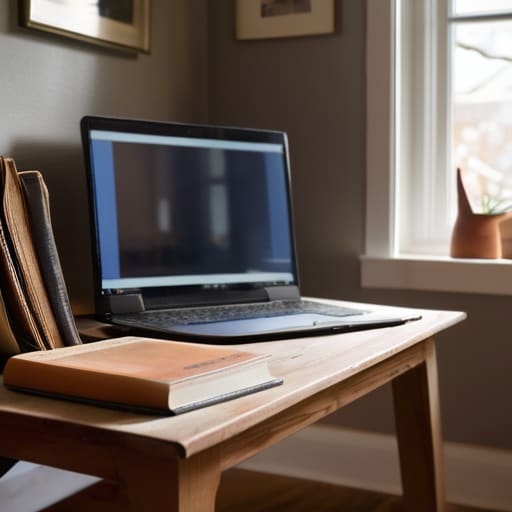
Most people think an ergonomic home office setup requires a thousand-dollar chair and a standing desk that looks like it belongs in a Silicon Valley lobby. I grew up in a space where “office space” was just a corner of the kitchen table, so I know that isn’t always realistic. The goal isn’t to buy more gear; it’s to stop your body from paying the price for your career. Start with the basics: your monitor should be at eye level so you aren’t hunching like a question mark, and your feet actually need to touch the floor. If they don’t, grab a stack of old textbooks. It’s not about aesthetics; it’s about preventing the chronic back pain that eventually kills your focus.
Once the physical foundation is set, you have to address the mental friction. An ergonomic setup is useless if you’re constantly interrupted by the laundry or the fridge. I’ve found that minimizing home distractions is just as important as having a good chair. Designate a specific zone that is for work only. When you’re in that chair, you’re working. When you leave it, you’re done. This physical separation is the simplest way to start establishing work-life boundaries without needing a dedicated room.
Minimizing Home Distractions Without Turning Your House Into a Fortress
The problem with working where you live is that your brain never quite gets the memo that “office hours” have started. You’re sitting at your desk, but you can see the unwashed dishes in the sink or the laundry pile that’s been staring at you for three days. It’s tempting to try and tackle those chores mid-task, but that’s a trap. Instead of trying to eliminate every possible stimulus, focus on minimizing home distractions by creating visual and mental partitions. If you don’t have a separate room, even a simple physical divider or a specific desk lamp that stays only on during work hours can signal to your brain that it’s time to focus.
It’s also about how you manage your digital environment. We talk a lot about physical space, but your phone is often a bigger intruder than your roommate. I’ve found that establishing work-life boundaries means more than just closing your laptop at 5:00 PM; it means silencing non-essential notifications during your deep-work blocks. You don’t need a monastic retreat to be effective; you just need a few intentional rules that prevent your domestic life from bleeding into your professional output.
Stop Chasing Productivity and Start Building Systems That Stick
- Stop using a massive, overwhelming to-do list. It’s just a recipe for feeling like a failure by 3 PM. Instead, pick three non-negotiables every morning. If you finish those, you’ve won the day. Anything else is just a bonus.
- Work in “sprints,” not marathons. I used to try and grind for four hours straight, but my brain would turn to mush halfway through. Now, I work in focused 50-minute blocks followed by a mandatory 10-minute break away from my screen. It keeps the mental fatigue from stacking up.
- Create a “shutdown ritual” to separate your work life from your actual life. Since my home is also my office, the lines get blurry fast. When I’m done, I close my laptop, clear my desk, and physically walk into another room. It tells my brain the shift is over.
- Batch your low-energy tasks. Don’t waste your peak morning focus on clearing out your inbox or filing digital receipts. Save the mindless, administrative stuff for that 4 PM slump when you don’t have the mental bandwidth for deep thinking anyway.
- Audit your digital environment. If you have twenty tabs open, you aren’t multitasking; you’re just distracting yourself. Keep only the tools you need for the current task visible. If it’s not helping you finish the job right now, close it or bookmark it for later.
Stop Optimizing and Start Living
At the end of the day, working from home isn’t about finding some magical software that tracks every second of your movement or building a workspace that looks like a Silicon Valley showroom. It’s about the basics we’ve covered: setting up a chair that won’t wreck your back, carving out physical boundaries so your living room doesn’t feel like a permanent office, and managing the noise without losing your mind. If you focus on these small, structural wins, you stop fighting your environment and start actually working. The goal isn’t to be a productivity machine; it’s to build a functional system that allows you to get your tasks done so you can finally close the laptop and walk away.
Don’t get caught in the loop of “one more tweak” to your setup or “one more app” to your workflow. Most of those extra layers are just sophisticated ways to procrastinate. Real productivity is often quite boring—it’s just about making sure your environment supports your intent rather than working against it. Focus on the small, repeatable habits that keep your space and your sanity intact. If you can manage to protect your focus and your physical health, you’ve already won more than most people doing the “hustle” grind. Build the system, get the work done, and then go live your life.
Frequently Asked Questions
How do I separate my "work brain" from my "home brain" when I'm working in the same small space where I sleep and eat?
When your desk is three feet from your bed, the lines blur fast. You need physical or sensory “triggers” to signal the shift. I use a specific lamp that stays off during leisure time; when it’s on, I’m working. When it’s off, the office is closed. If you don’t have space for that, change your scent or put on a specific pair of “work shoes.” It sounds small, but it builds a mental boundary.
What do I do when my energy levels tank mid-afternoon and I can't force myself to stay focused?
Stop trying to power through it. Fighting a brain fog with more caffeine is just a recipe for a 4:00 PM crash and a ruined evening. When the tank hits empty, pivot. Switch to “low-bandwidth” tasks—answering quick emails, organizing your digital files, or clearing your desk. If you can’t focus, don’t force it; just change the type of work you’re doing until your energy resets. Work with your rhythm, not against it.
How can I stay productive without feeling like I'm constantly "on call" or tethered to my desk all day?
The trap is thinking productivity means being visible every second. If you’re always reacting to pings, you aren’t working; you’re just performing availability. I stopped trying to “be on” and started using hard boundaries. Set specific windows for deep work and separate windows for communication. Once those windows close, the laptop shuts. If it isn’t an actual emergency, it can wait until your next scheduled block. Protect your headspace first.