
Note-taking Strategies for Better Memory Retention
I spent way too many years thinking I needed a $30 monthly subscription to a “second brain” app just to keep my life from spiraling. I’d spend hours tweaking color-coded tags, organizing folders, and perfecting digital layouts, only to realize I hadn’t actually done any work in three hours. Most of the popular note taking methods being pushed online right now are just elaborate forms of procrastination disguised as productivity. If your system requires a PhD in software architecture just to write down a grocery list or a project deadline, it isn’t a system—it’s a chore.
I’m not here to sell you on a complex digital ecosystem that you’ll abandon by next Tuesday. Instead, I want to show you how to build a lightweight, reliable way to capture information that actually serves your day-to-day reality. I’ve boiled down the most effective, low-friction note taking methods into a few practical frameworks that work whether you’re using a weathered pocket notebook or a basic text editor. We’re going to focus on small, repeatable wins that keep your ideas accessible without turning your desk into a digital graveyard.
Table of Contents
The Cornell Note Taking System for Zero Effort Review
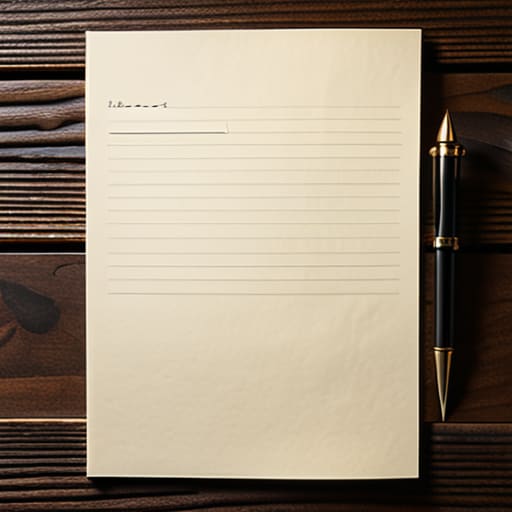
If you’re tired of staring at a wall of text and realizing you haven’t actually processed a single word, the Cornell note taking system is the fix. It’s not about being a scholar; it’s about structural efficiency. You divide your page into three distinct zones: a narrow column for cues, a wide space for the actual notes, and a summary box at the bottom. Instead of just transcribing everything like a stenographer, you use the cue column to pull out the essential questions or keywords. This forces you to engage with the material in real-time rather than just passively recording noise.
The real magic happens during the review phase. When it’s time to actually use what you’ve written, you cover the main notes and try to answer your cue questions from memory. This is one of the few effective study habits that actually works because it builds retrieval strength. It turns your notebook from a graveyard of dead information into a functional tool. Whether you prefer digital vs handwritten notes, the logic remains the same: if you don’t build a system for retrieval, you’re just wasting ink.
Digital vs Handwritten Notes Choosing Your Low Maintenance Tool
I used to spend way too much time debating the merits of digital vs handwritten notes, trying to find the “perfect” app that would magically fix my disorganized brain. Here’s the reality: the tool doesn’t matter as much as the friction it creates. If you’re staring at a blank screen waiting for the perfect template, you aren’t actually learning; you’re just procrastinating with better aesthetics. I’ve found that digital tools are unbeatable for speed and searchability, especially when you’re organizing lecture notes or massive project specs that need to be indexed for later.
However, there is a cognitive cost to typing that we often ignore. When I’m working on a complex problem or trying to practice active listening techniques in a meeting, I reach for my notebook. There is a tactile connection between the hand and the brain that a keyboard just can’t replicate. A pen forces you to summarize and synthesize in real-time because you can’t write as fast as someone speaks. If you want a system that actually sticks, use digital for the long-term storage and paper for the heavy lifting of deep thought.
Five ways to stop collecting information and start using it
- Stop trying to transcribe everything. If you’re writing down every word your boss or a lecturer says, you aren’t learning; you’re just acting like a slow stenographer. Aim for the “why” and the “how,” not just the “what.”
- Use a single, consistent capture point. I carry one notebook and one pen for a reason. If your notes are scattered across three different apps, a random sticky note, and the back of a receipt, you’ve created a scavenger hunt, not a system.
- Build in a five-minute “closing ceremony.” At the end of your workday or a study session, scan your notes and highlight the three most important action items. If a note doesn’t lead to an action or a realization, it’s just digital clutter.
- Learn to tag by project, not by topic. Don’t just label something “Marketing.” Label it “Project X – Marketing Ideas.” You need to be able to find things based on what you are actually doing with them, not just what they are about.
- Embrace the mess. Your notes shouldn’t look like a polished textbook. They should look like a workspace—sketches, arrows, crossed-out thoughts, and shorthand. If you’re too worried about making them look “aesthetic,” you’re wasting time you could be using to actually do the work.
Stop Overthinking the System
At the end of the day, whether you’re leaning into the structured review of the Cornell method or sticking to the tactile reliability of a notebook and a good pen, the “perfect” system doesn’t exist. I’ve spent too much time trying to find the ultimate digital setup only to realize I was just procrastinating on the actual work. The goal isn’t to build a complex archive that looks pretty on a screen; it’s to capture information in a way that is immediately actionable. If your notes require a manual to understand, you’ve already lost the battle. Choose the tool that has the lowest barrier to entry and move on to the task that actually matters.
Don’t let the pursuit of organization become another chore on your to-do list. A note is only as valuable as the way it helps you navigate your life, your budget, or your projects. I want you to stop managing your notes and start actually using them to build something. Whether you’re sketching out a new apartment layout or tracking a freelance project, keep it simple, keep it functional, and keep it moving. The best system is the one that stays out of your way so you can get back to living.
Frequently Asked Questions
How do I actually keep up with these systems when my schedule gets chaotic?
The truth is, you won’t. Some days the system will break, and that’s fine. The mistake is thinking a “bad day” means you have to scrap the whole method. When things get chaotic, strip it back to the bare minimum: just capture the raw data. Don’t worry about formatting or filing. Just get it down. You can organize the chaos once the dust settles. Consistency isn’t about perfection; it’s about not letting the trail go cold.
Is it worth investing in expensive paper and pens, or should I just stick to whatever is cheap and available?
Look, I get the temptation to buy the $30 fountain pen and the heavy linen-paper journal. It feels like an investment in your productivity. But honestly? Don’t fall for the aesthetic trap. If you’re worried about the cost, you’ll hesitate to actually use the notebook, and a notebook you’re afraid to smudge is useless. Buy a decent, reliable pen and whatever paper is functional. The system matters; the stationery is just decoration.
At what point does organizing my notes become a form of procrastination instead of actual work?
The moment you start color-coding tabs or hunting for the “perfect” font instead of actually writing down the information, you’ve crossed the line. If you’re spending more time on the aesthetics of the system than the content itself, you aren’t working; you’re just rearranging deck chairs. I call it “productivity theater.” If the setup is taking longer than the task, scrap it. A messy note that leads to action beats a beautiful one that stays blank.